Status Is Down Launches MCP for ChatGPT, Claude and Cursor AI Workflows
New Model Context Protocol access puts six read-only outage-intelligence tools into compatible workflows such as ChatGPT, Claude and Cursor, where remote MCP is supported.
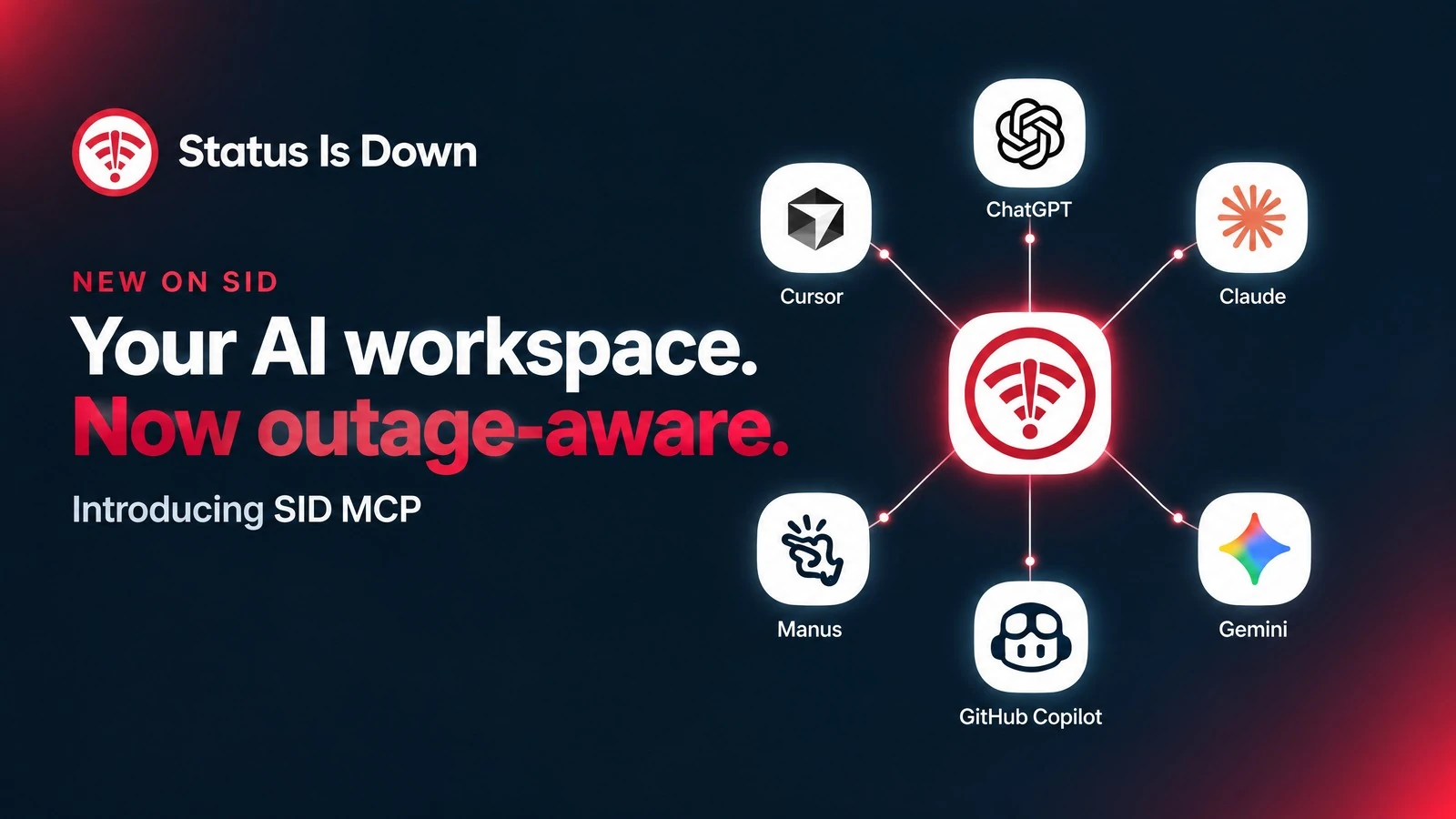
Status Is Down MCP brings outage context to familiar AI workflows
SINGAPORE — 17 October 2026 — SID Monitor today announced Status Is Down MCP, now available for active business accounts. Built on the Model Context Protocol (MCP), it gives compatible AI clients a defined, read-only way to request Status Is Down outage intelligence inside an investigation workflow. ChatGPT, Claude and Cursor are prominent examples of the familiar workflows teams may use.
ChatGPT, Claude and Cursor, along with other named clients, identify the AI-workflow ecosystem rather than endorsements or certification of a native or end-to-end Status Is Down integration. Remote MCP availability depends on the application, subscription, region and administrator settings. Gemini Spark / Connector is not currently a verified SID connection path.
Status Is Down MCP brings public-status and community-signal context into an AI-assisted conversation without making that connection a system-control channel. Connection guides and full product details are available on the MCP product page and SID’s official launch article.
A broader compatible-client ecosystem
Alongside ChatGPT, Claude and Cursor, the MCP ecosystem referenced for this launch includes Gemini, Manus and GitHub Copilot. Teams can consider these environments when selecting a compatible client for read-only outage-context questions, then check the client’s remote MCP and authentication support before connecting.
The public remote endpoint is https://statusisdown.com/api/mcp. It is an endpoint to add to a compatible client, not a secret credential.
Six read-only tools for outage context
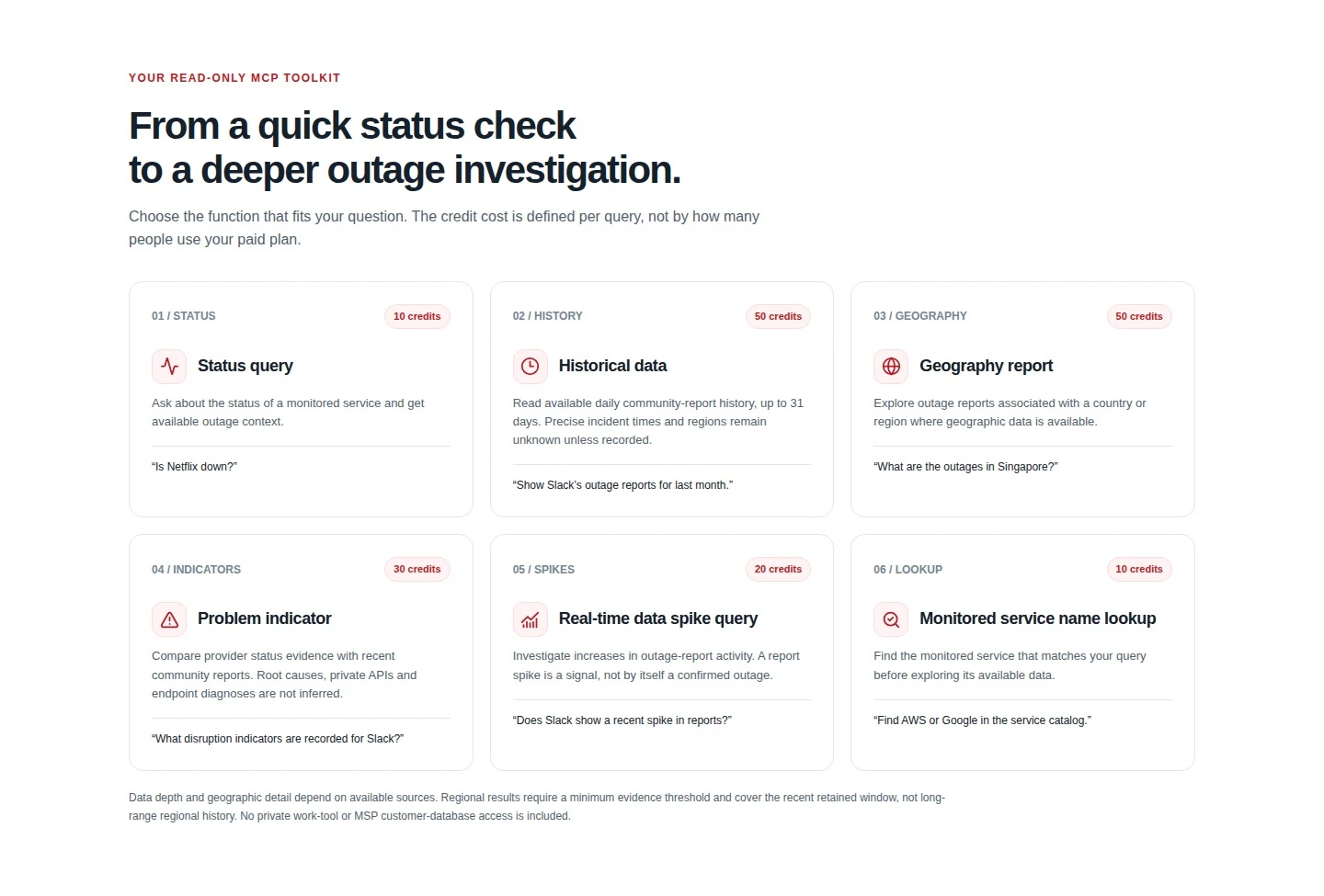
The release provides six focused query tools with visible credit costs: status query (10 credits); historical data (50 credits); geography report (50 credits); problem indicator (30 credits); realtime data spike query (20 credits); and monitored service name lookup (10 credits).
Historical data covers available daily community-report history for up to 31 days. Geography answers depend on available data. Problem indicators compare provider-status evidence with recent community reports, while a realtime spike is a signal, not by itself a confirmed outage. The tools do not infer root cause or diagnose private endpoints.
The connection remains read-only: it does not expose live credentials or customer records, and it cannot change monitoring plans or alerts, perform remediation, or take actions in a customer environment.
- Status query — 10 credits
- Historical data, up to 31 days — 50 credits
- Geography report, where data is available — 50 credits
- Problem indicator — 30 credits
- Realtime data spike query — 20 credits
- Monitored service name lookup — 10 credits
Workspace control, credentials and plans
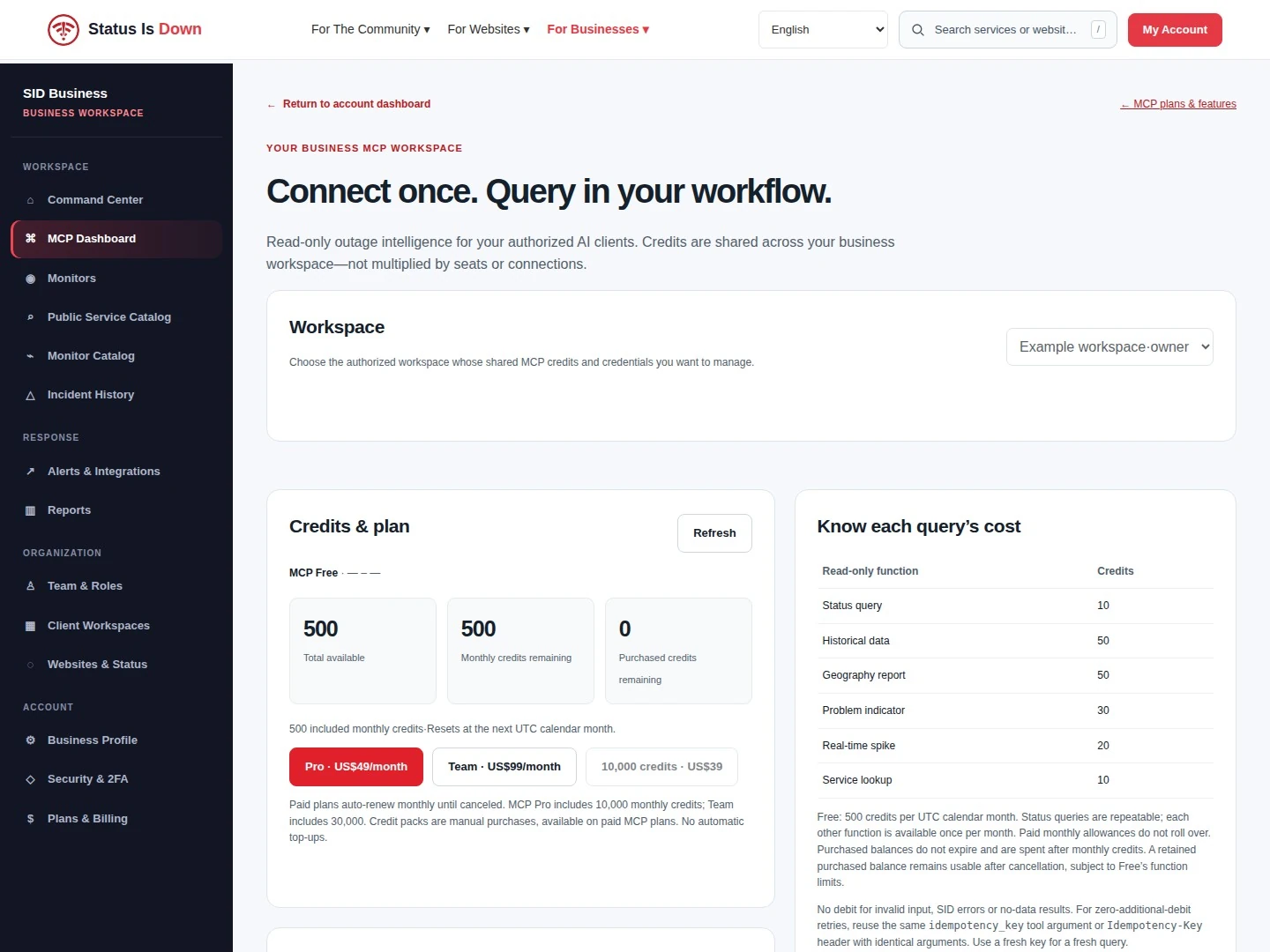
Access is workspace-scoped, read-only and revocable. Authorized users manage the connection and credit allowance from the MCP Dashboard in their business account. A compatible client can authenticate with OAuth or a private bearer credential, using the method it supports.
MCP Free includes 500 credits each UTC calendar month with no card required. Status queries can be repeated while a balance remains; each of the other five functions can be used once per month.
MCP Pro is US$49 per month for 10,000 monthly credits, and MCP Team is US$99 per month for 30,000 monthly credits. Both provide all six functions and unlimited authorized members in one business workspace sharing the allowance.
Paid plans renew monthly until cancelled. Included monthly credits do not roll over. A workspace may manually buy 10,000 additional credits for US$39; there are no automatic top-ups, and purchased credits do not expire. These details are current as of the 17 October 2026 launch date; official plans and full credit terms are at https://statusisdown.com/business/mcp.
Connect in three steps
Teams can begin with an investigation question they already ask, then review the returned evidence with human judgment in the loop.
- Create a business account or sign in at https://statusisdown.com/business/mcp.
- Open the MCP Dashboard, review the workspace controls and configure an authorized connection using a supported method.
- Add https://statusisdown.com/api/mcp to a compatible client, complete authentication and ask a specific, read-only question.
About SID Monitor
SID Monitor owns Status Is Down for outage intelligence and Status Is Up for uptime, recovery and optimization. Its products help teams work with service-availability signals and operational context.
Media enquiries can be submitted through the private company form at https://sid-monitor.com/#company.
Further information
Read SID’s official launch article and connection guide
Model Context Protocol: the official standard
Visit the MCP product pageMedia inquiries: SID Monitor secure company form