Status Is UP Launches Free iPhone and Android App for Testing Websites on Real Phones
Website owners can check how fast a page loads on their own phone, preview how a link will look when it is shared, and see where a QR code leads before opening it, with no account, ads or tracking.
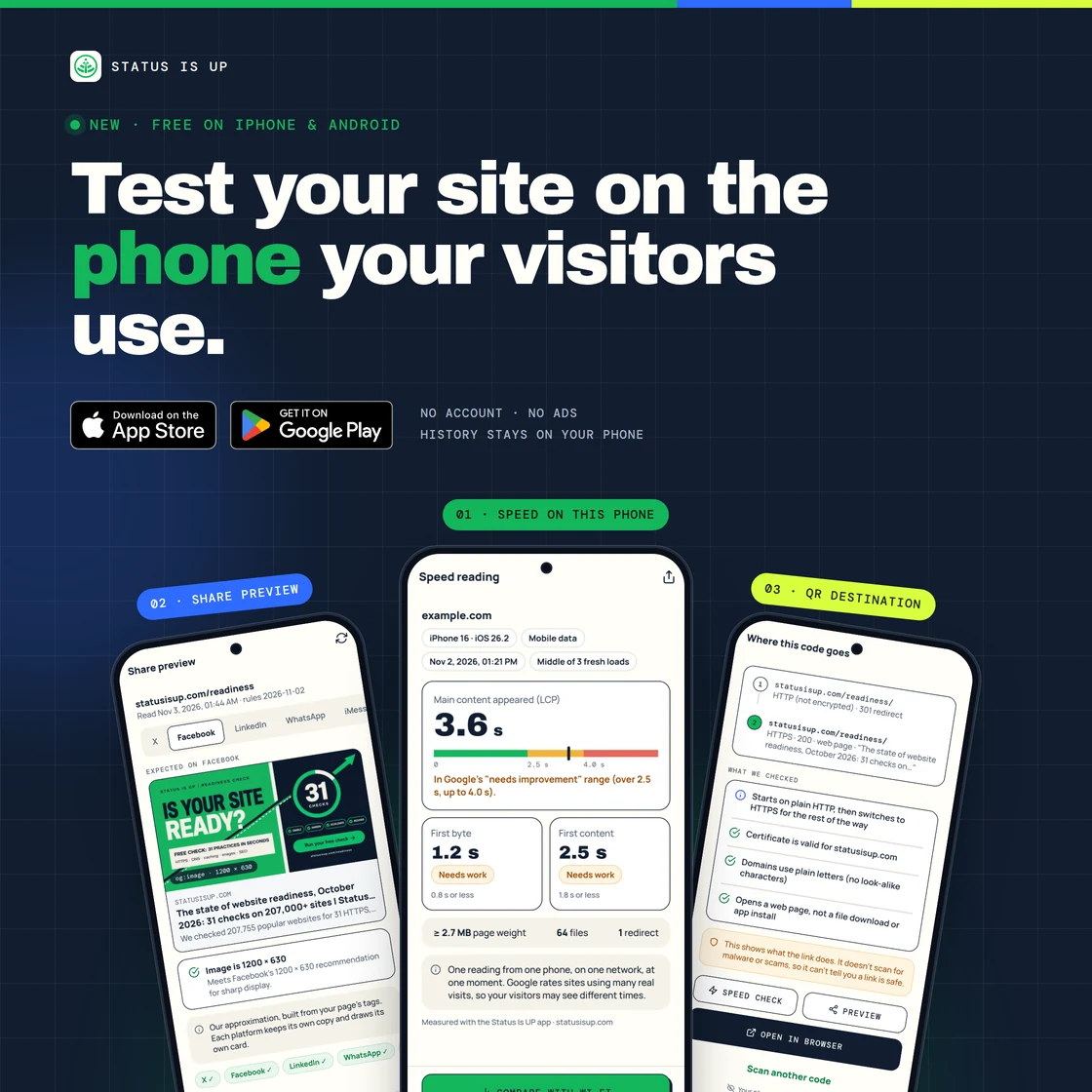
Status Is UP brings website readiness checks to the phone in your hand
SINGAPORE — 10 November 2026 — SID Monitor today announced the Status Is UP app for iPhone and Android, a free companion to statusisup.com that lets website owners run three readiness checks from their own phone. The app is available now on the App Store and Google Play.
Status Is UP supports Uptime Enablement, helping website owners enable, harden, accelerate and recover their sites. The new app brings that work to the device most visitors use. It complements the Status Is Down app, which tracks outages across more than 14,300 services and more than 2 million websites, and does not duplicate it: Status Is Down reports when services are down, while Status Is UP helps owners prepare their own sites before visitors arrive.
Most speed and link-preview tools run on servers in data centres. Visitors, by contrast, often open a page on a phone over mobile data, see a link first as a card in a chat or social feed, or arrive by scanning a printed QR code. The app checks each of those moments on a real phone.
A speed reading from a real phone, not a data centre
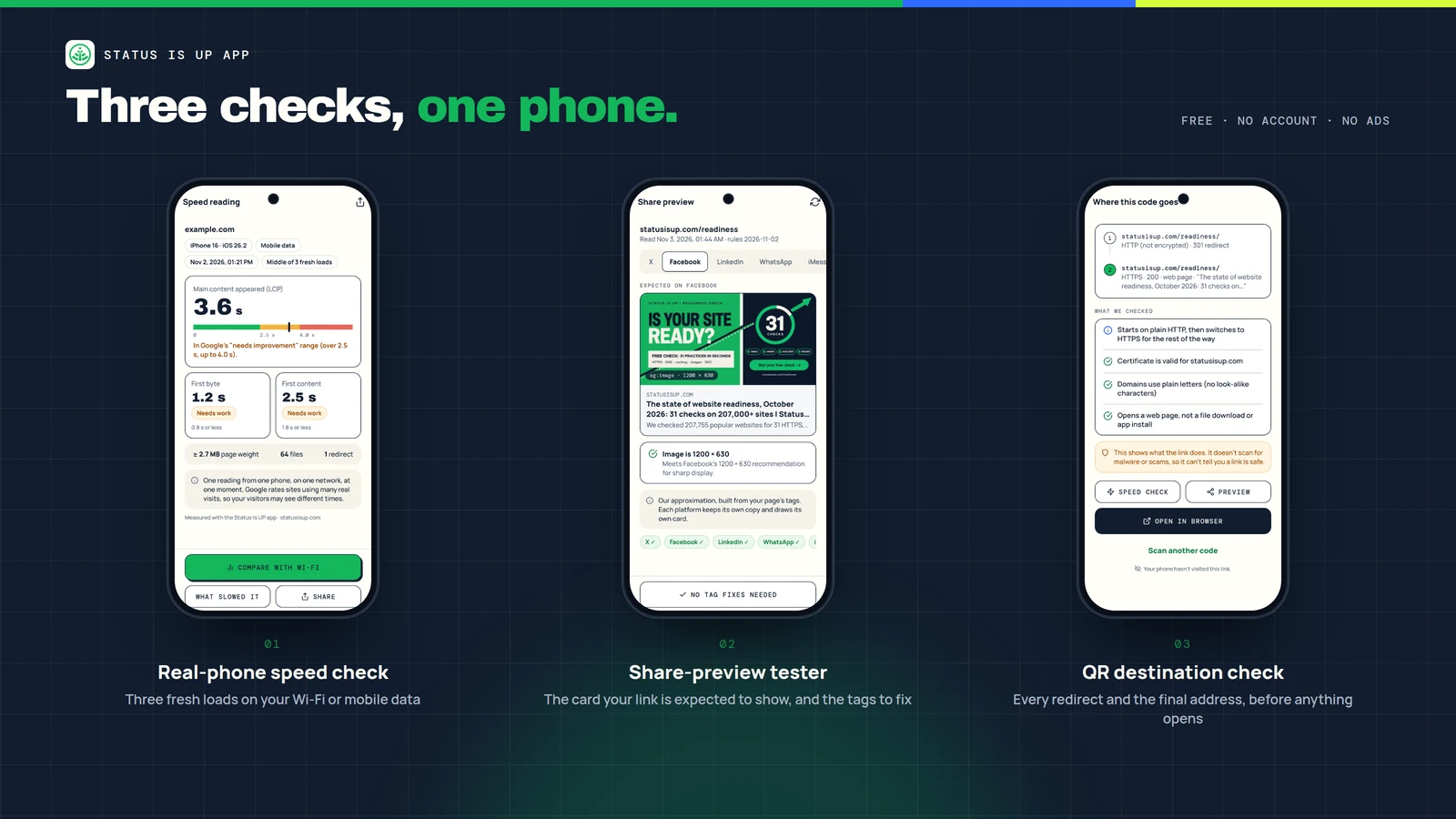
The speed check loads a page three times from a clean start on the phone and reports the middle run. It shows time to first byte, first content and main content, using Largest Contentful Paint where the phone reports it, and rates each timing against Google's published thresholds. For main content, 2.5 seconds or less is rated good and more than 4.0 seconds is rated poor.
Owners can run the check on Wi-Fi and again on mobile data to compare the two side by side. A "What slowed this load" view lists the heaviest files and redirects from that run, next to a quick server-side view from statusisup.com, to help separate a slow server from a heavy page. Each reading is one dated measurement on one phone and network. It is not a verdict for every visitor, and it is not the field data Google uses for its Core Web Vitals assessment.
Share previews checked before a link is posted
The share-preview tester reads a page's Open Graph and Twitter card tags and draws the card the link is expected to show on X, Facebook, LinkedIn, WhatsApp and iMessage. It checks the title, description and image against each platform's published guidance, provides ready-to-paste tags for anything missing, and links to the platforms' own re-check tools. Because platforms keep their own copies of cards and apply their own rules, a live card can still differ from the preview.
QR codes inspected before they are opened
The QR destination check shows where a code goes before anything opens. When the user taps Inspect, the Status Is UP server follows the link step by step, up to 10 redirects, and reports each address, whether it uses HTTPS, whether the certificate is valid and what the last step returns: a web page, a file download or an app store page. The phone does not visit the link, and the camera image stays on the phone.
The check describes what a link does. It does not scan for malware or scams and does not state that a link is safe. For businesses that print QR codes on menus, posters and packaging, it offers a quick way to confirm that a code still leads to the intended page over HTTPS.
Free, without ads, and private by design
The Status Is UP app is free to download and use, with no ads and no in-app purchases. It works without an account. Results and history stay on the phone, QR scans are kept only if the user turns that on, and one tap clears all history. Addresses for share previews, QR checks and the server view are sent to statusisup.com only to run that check and are not stored; speed tests run on the phone. The Status Is UP privacy notice sets out what the app sends and why.
The app requires iOS 16.4 or later on iPhone, or Android 7.0 or later. It is published by SID Monitor Pte Ltd.
About SID Monitor
SID Monitor owns Status Is Down, which provides differentiated outage intelligence through service-status and community-signal context. Its sister platform, Status Is Up, supports Uptime Enablement through recognition of steady uptime and verified recovery performance. Together, the products help teams understand disruption signals and work toward more reliable digital services.
Get the Status Is UP app
Download the free app on the App Store or Google Play, or scan the code on statusisup.com/app to open the right store on your phone.
Further information
Read SID’s official launch article
Get the Status Is UP appMedia inquiries: SID Monitor secure company form
Apple, iPhone and the Apple logo are trademarks of Apple Inc., registered in the U.S. and other countries. App Store is a service mark of Apple Inc. Google Play and the Google Play logo are trademarks of Google LLC. Status Is UP is not affiliated with X, Meta, LinkedIn or WhatsApp; platform names identify only where a link is shared.